 Sizefolk
See where to measure
Every chart gets a drawing (tops, trousers, dresses, bras, shoes, hats, gloves, rings). Shoppers tap a size and its measurements appear on the garment, in cm or inches.
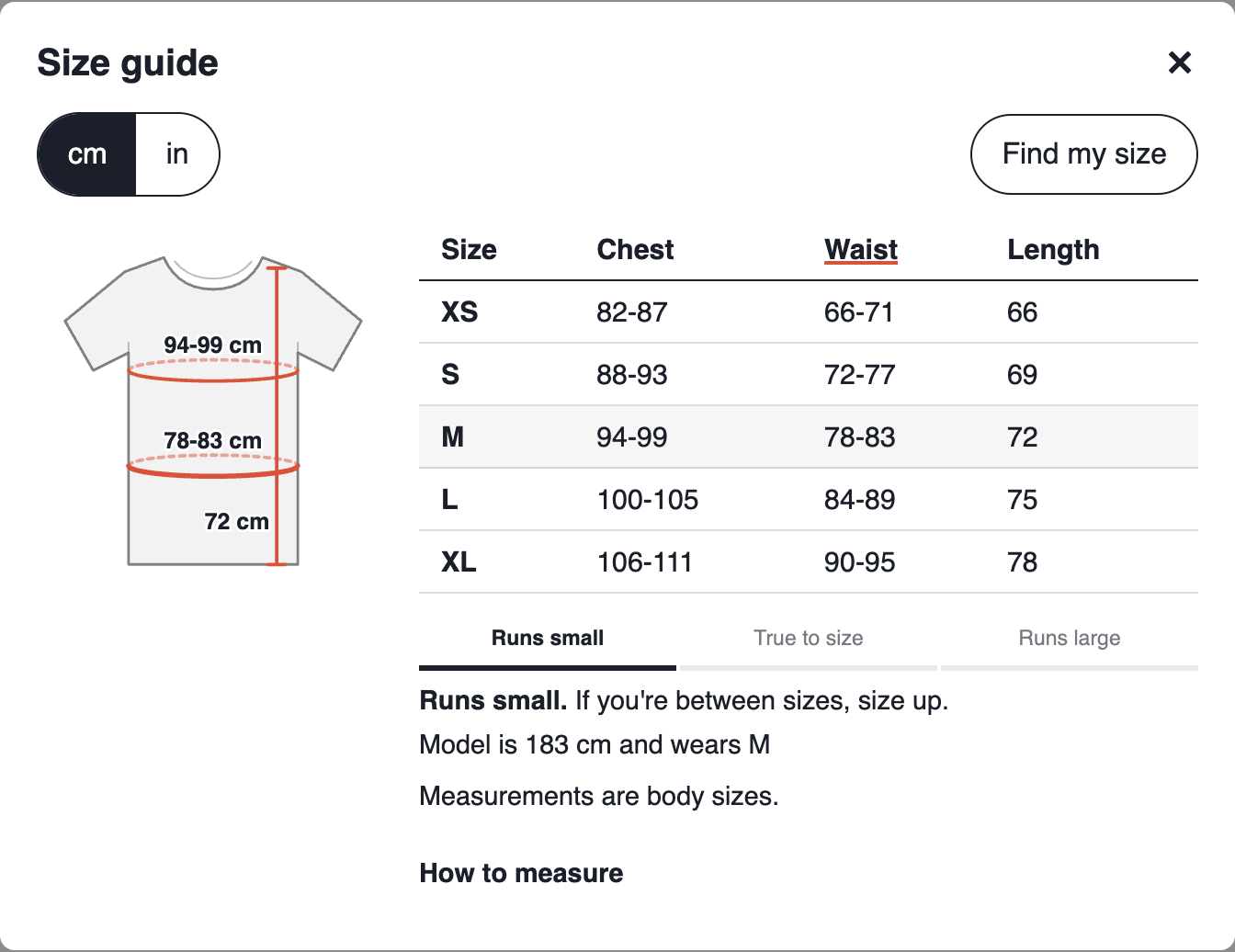
A drawing shows where to measure, Find my size picks their size, and sizing insights show which products come back too small or too large.
Free plan available · 14-day free trial on Starter and Pro
Match my store
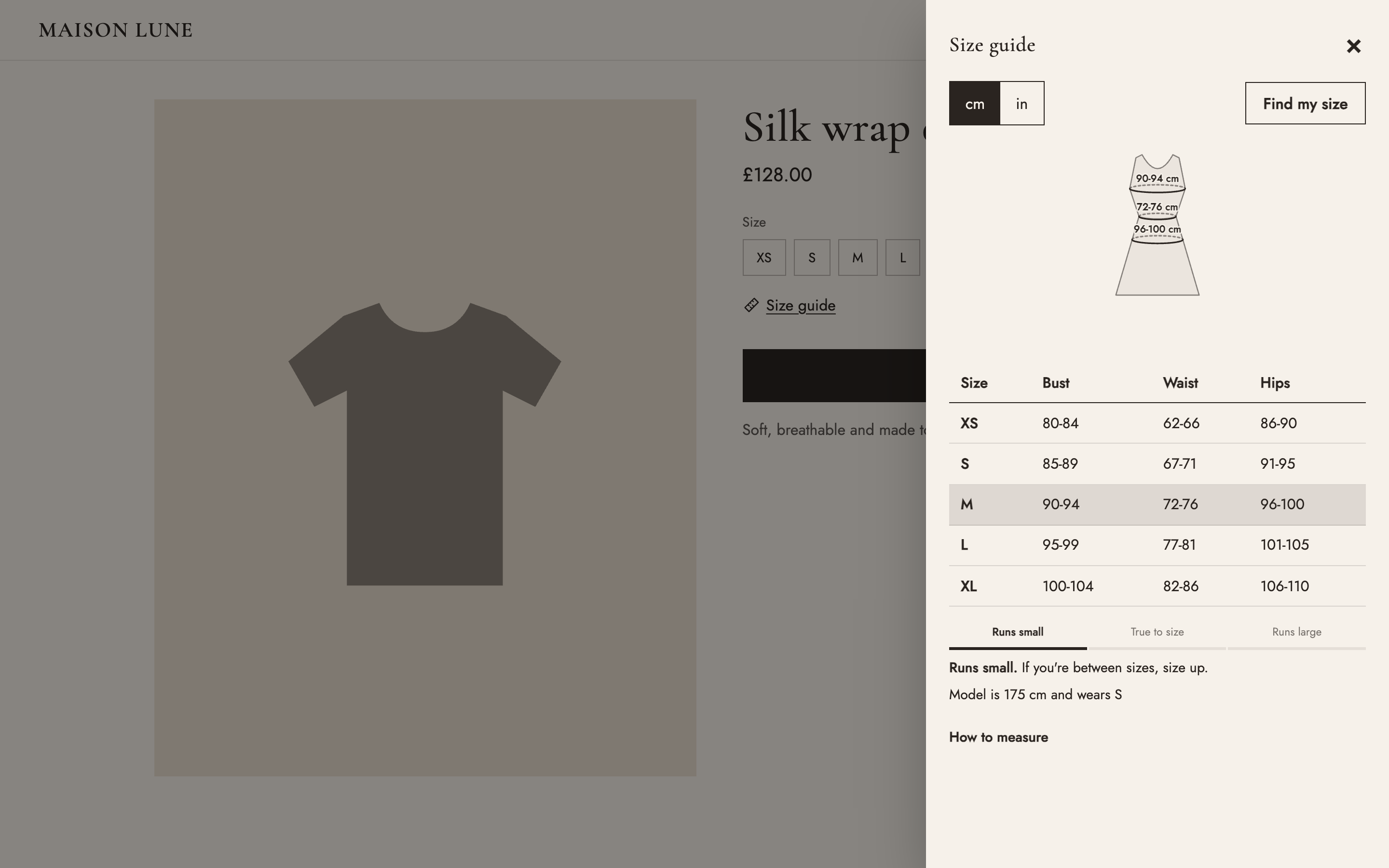
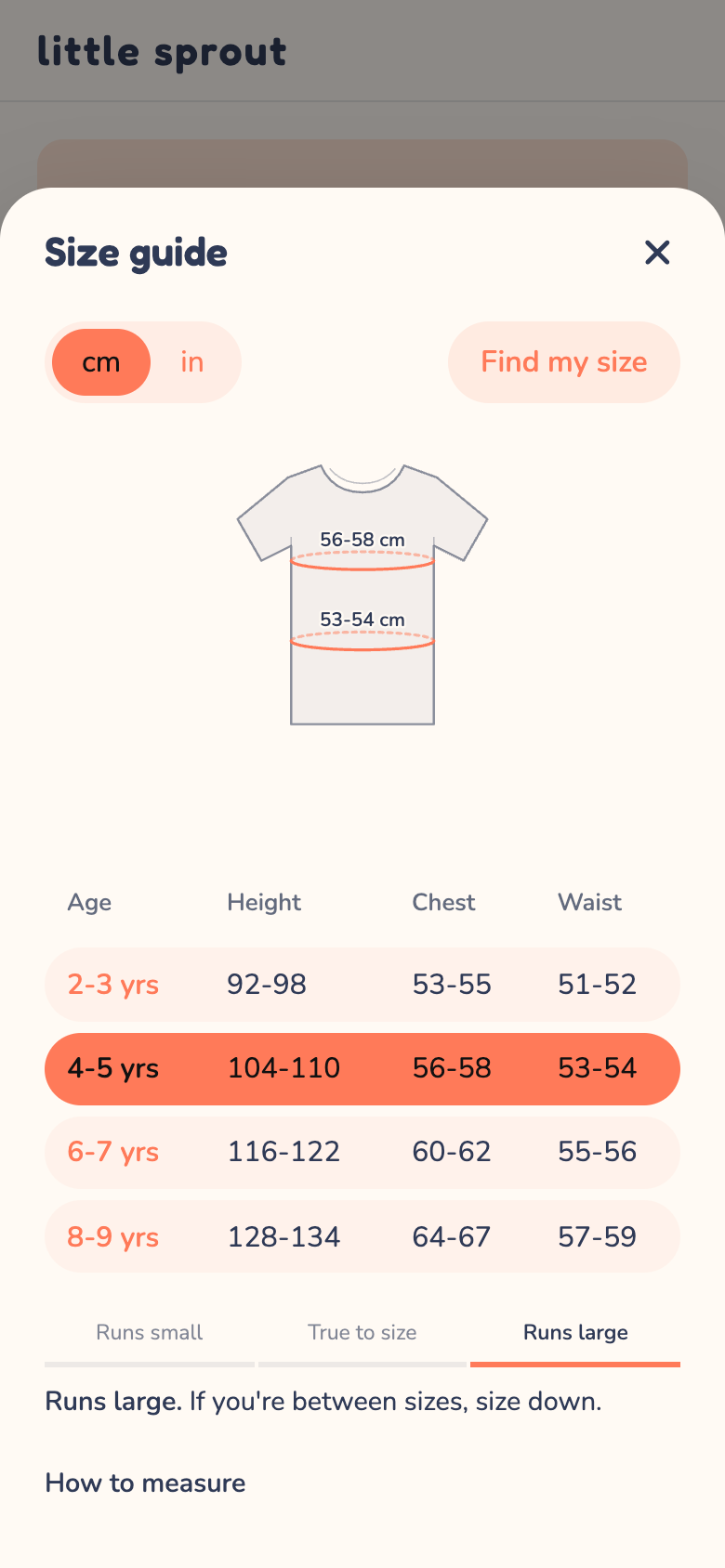
Sizefolk reads your theme's colours, fonts and button shape, so the size guide feels like part of your store, not a plugin. Here's the same size guide in three different stores, with no settings changed.
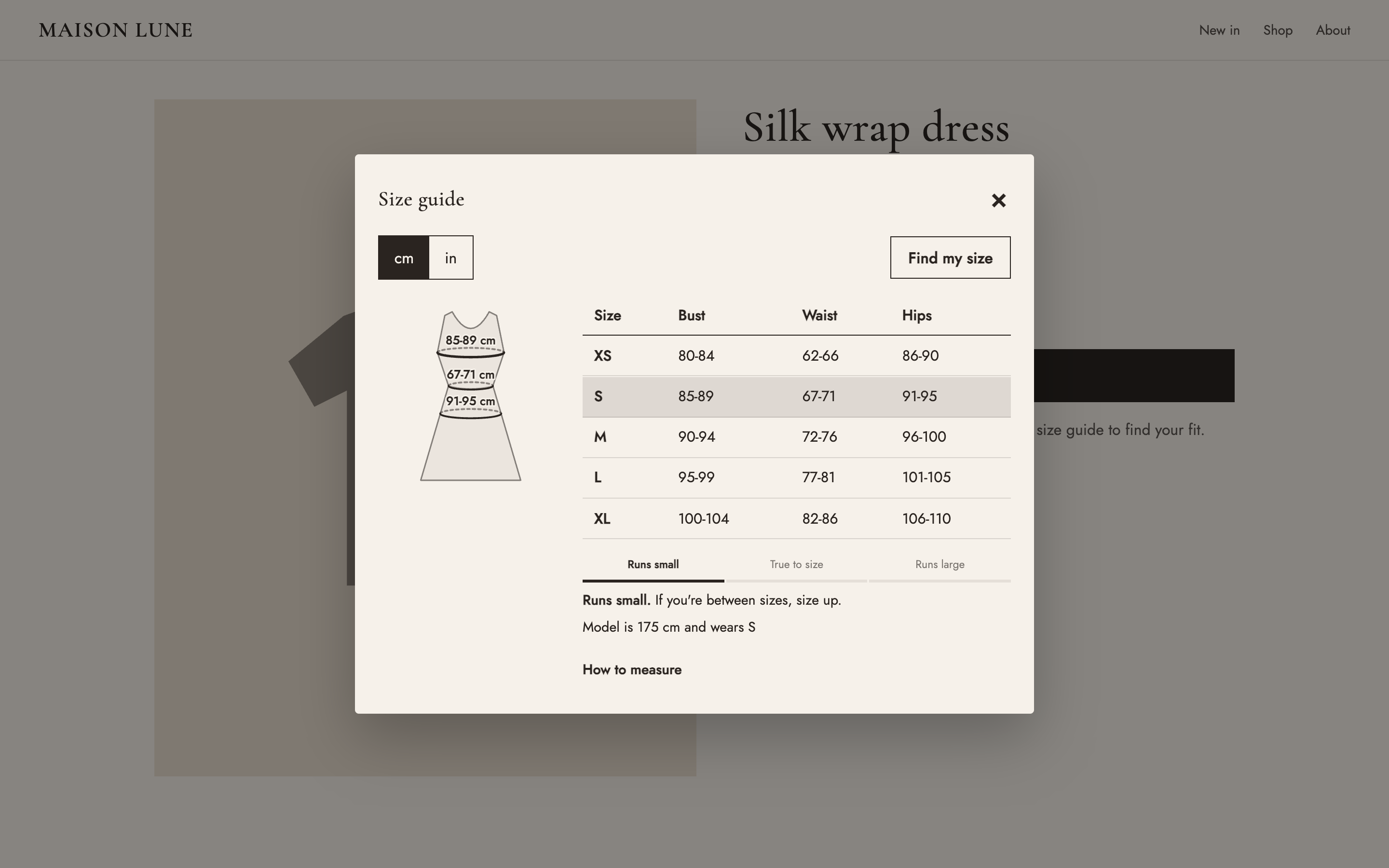
Demo stores · same app, same chart
Your colours. Buttons, toggles and the selected size use your brand colour.
Your fonts. Headings use your theme's heading font.
Your shapes. Square, rounded or pill: the guide copies your Add to cart button.
Four ready-made looks, one click in the app. All of them work on phones and dark themes.
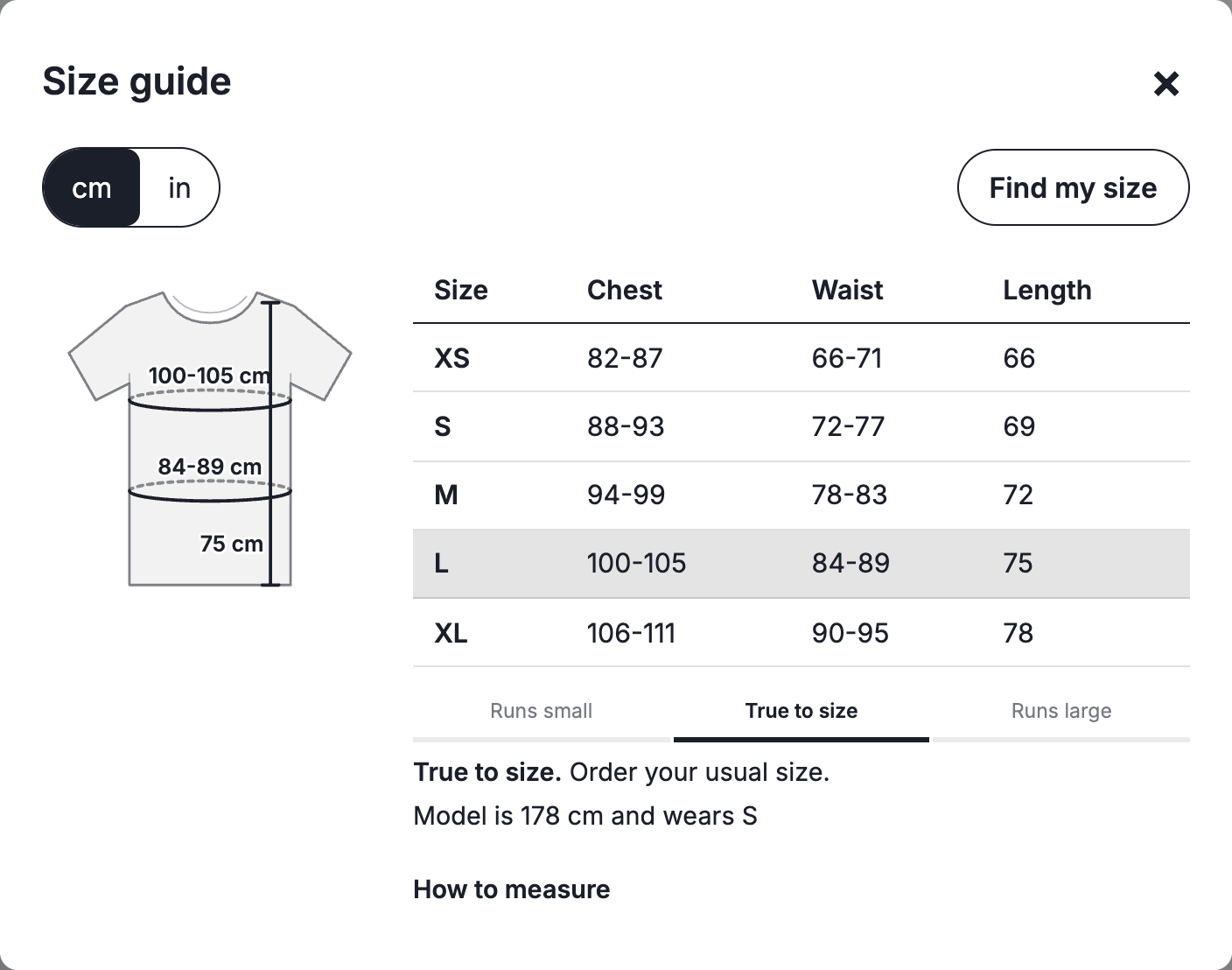
Neutral black and white that fits any store.
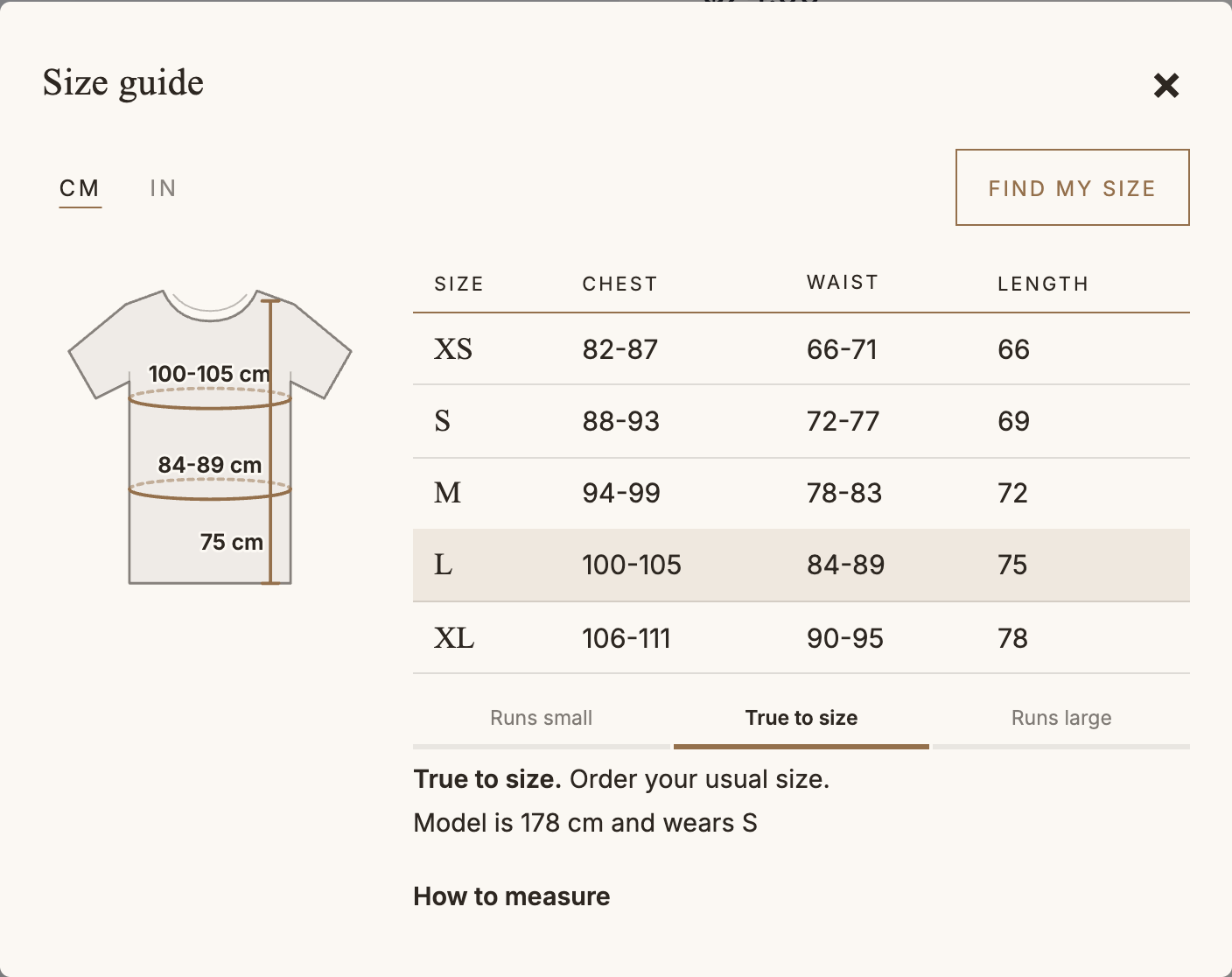
Ivory paper, serif headings and fine lines, for fashion and luxury.
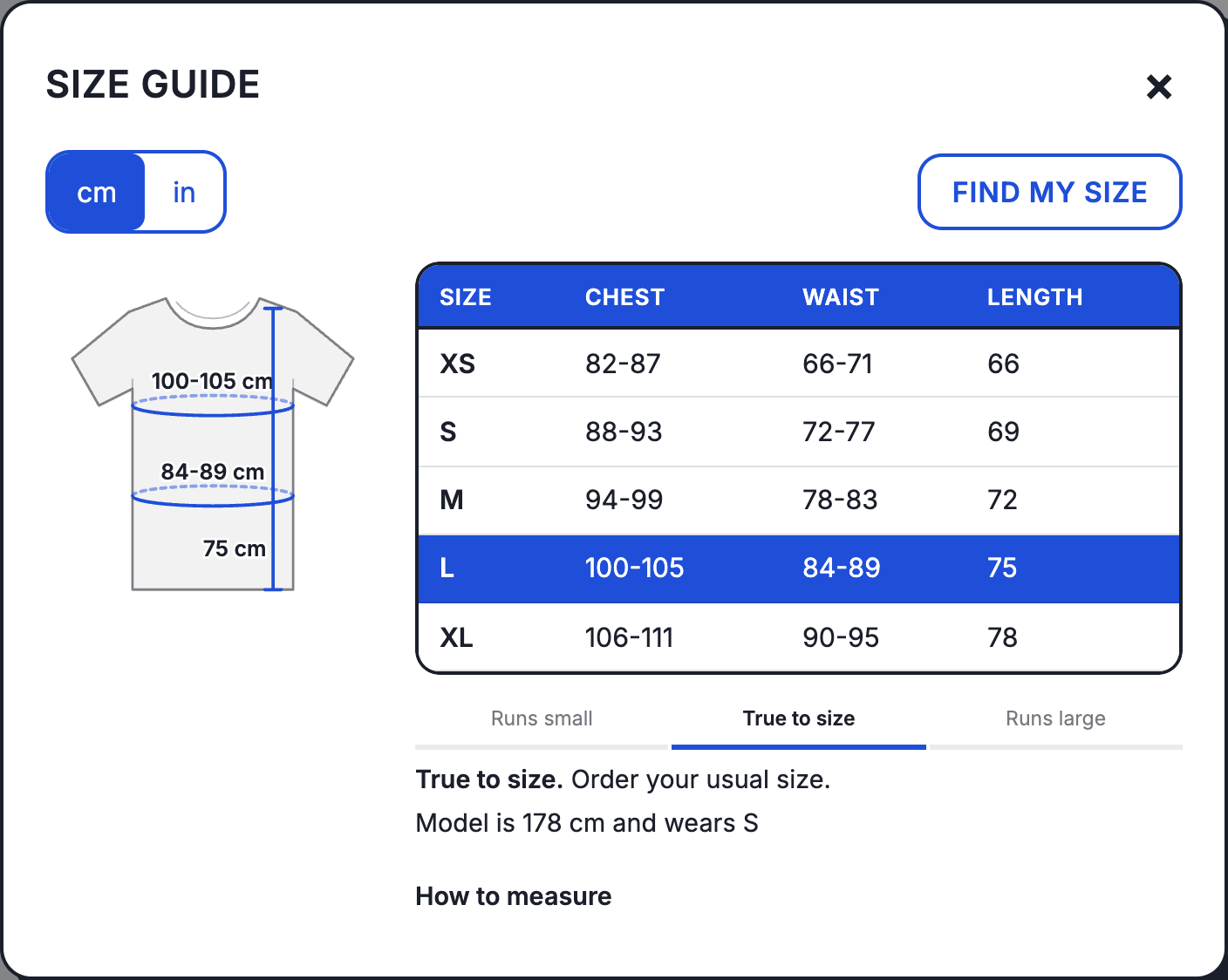
A strong outline and a header in your brand colour, for streetwear and sport.
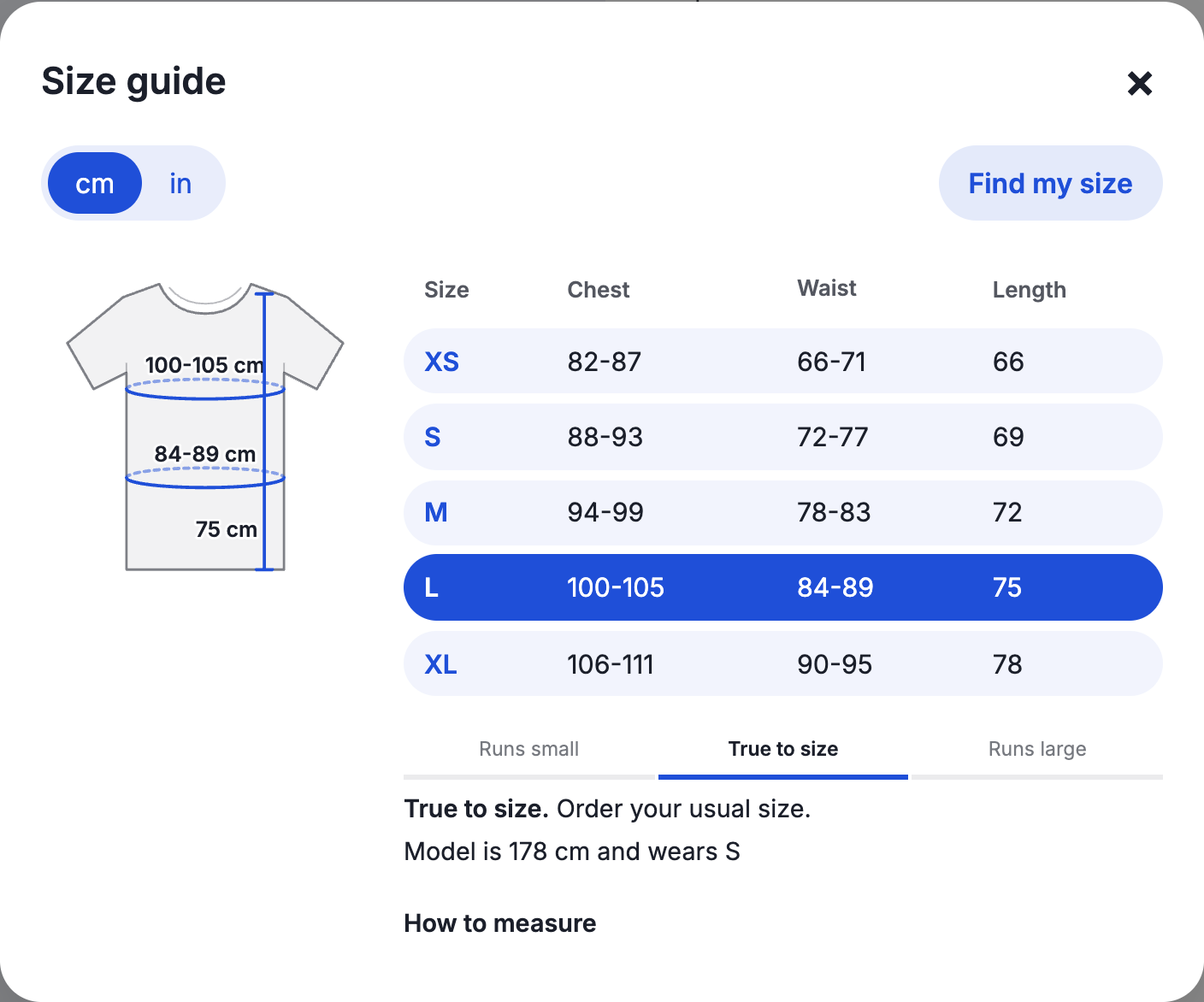
Rounded rows and gentle tints, for kids, lifestyle and beauty.
Open the guide in the middle of the page or as a drawer from the side. On phones it becomes a bottom sheet that's easy to use with one thumb.
| Size | Chest | Waist | Length |
|---|---|---|---|
| XS | 82-87 | 66-71 | 66 |
| S | 88-93 | 72-77 | 69 |
| M | 94-99 | 78-83 | 72 |
| L | 100-105 | 84-89 | 75 |
| XL | 106-111 | 90-95 | 78 |
Chest: measure around the fullest part, keeping the tape level. Waist: around your natural waistline. Length: from the highest point of the shoulder down to the hem.
Tops, jeans, dresses, bras, kids, shoes, hats, rings, gloves, or start blank. Import your existing charts from CSV.
Products, collections, tags, product types or vendors, with exceptions.
One click adds a Size guide link under the size picker, or place it anywhere in your theme.
Every chart gets a drawing (tops, trousers, dresses, bras, shoes, hats, gloves, rings). Shoppers tap a size and its measurements appear on the garment, in cm or inches.
Shoppers enter their measurements, or their height and weight, and get a size recommendation from your chart. It's remembered on their device, so every product shows their size.
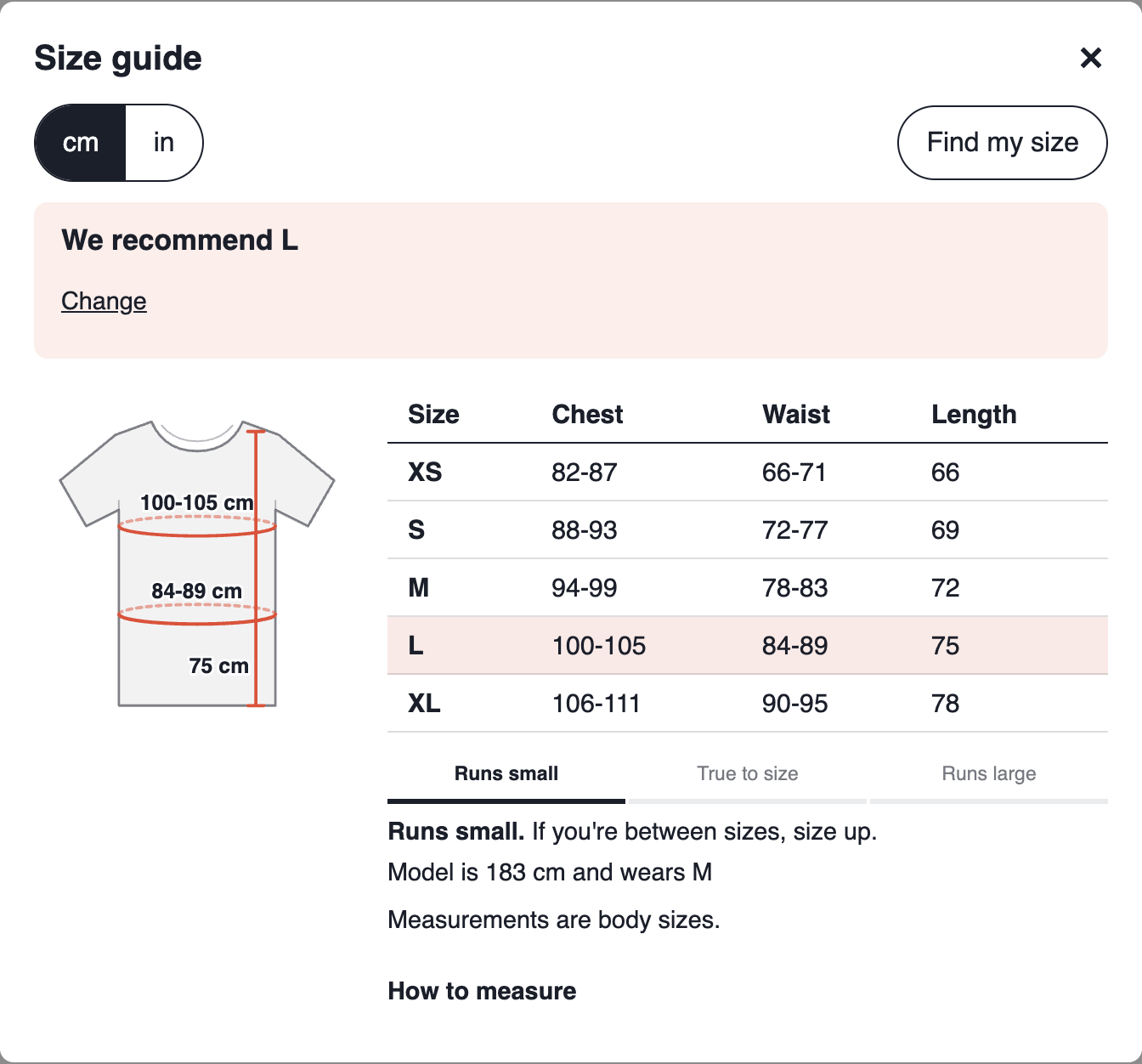
Sizing insights read the reasons on your Shopify returns and show which products come back too small or too large, what those returns are worth, and which chart to fix. One click adds a “Runs small” note to the chart.
| Product | Too small | Too large | Action |
|---|---|---|---|
| Linen shirt | 13 | 2 | Mark as runs small |
| Wide-leg jeans | 3 | 9 | Mark as runs large |
| Everyday tee | 2 | 2 | Check the chart's measurements |
Ask Shopify Sidekick “Which products don't have a size chart?” or “Which chart does this product use?” and Sizefolk answers from your store.
Which products don't have a size chart?
Sidekick · from Sizefolk
2 active products don't have a size chart yet: Wool beanie and Canvas tote. Want to see the charts you could add them to?Start from a template with the right measurements, a drawing that shows where to measure, and how-to-measure tips already written. Or start blank, or bring your charts in from a CSV file.
Start blank or import a CSV Bring charts across from a spreadsheet or another app.
By product, collection, tag, type or vendor, with exceptions.
No code and no theme edits. Works with Online Store 2.0 themes.
The storefront comes in 6 languages.
94–99 cm ↔ 37–39 in
US shoppers start in inches automatically.
Size guide opens per chart and product.
Charts load with the page. Shoppers' measurements never leave their device.
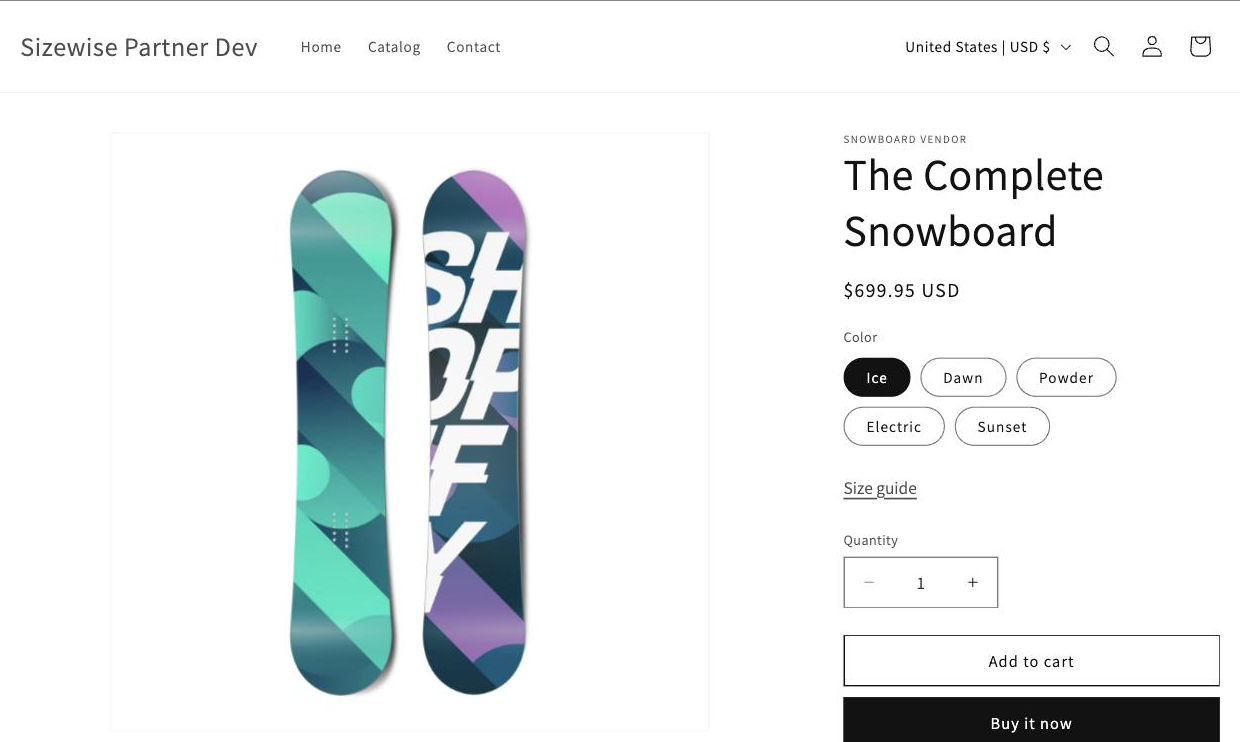
Your size guide, right where shoppers choose a size
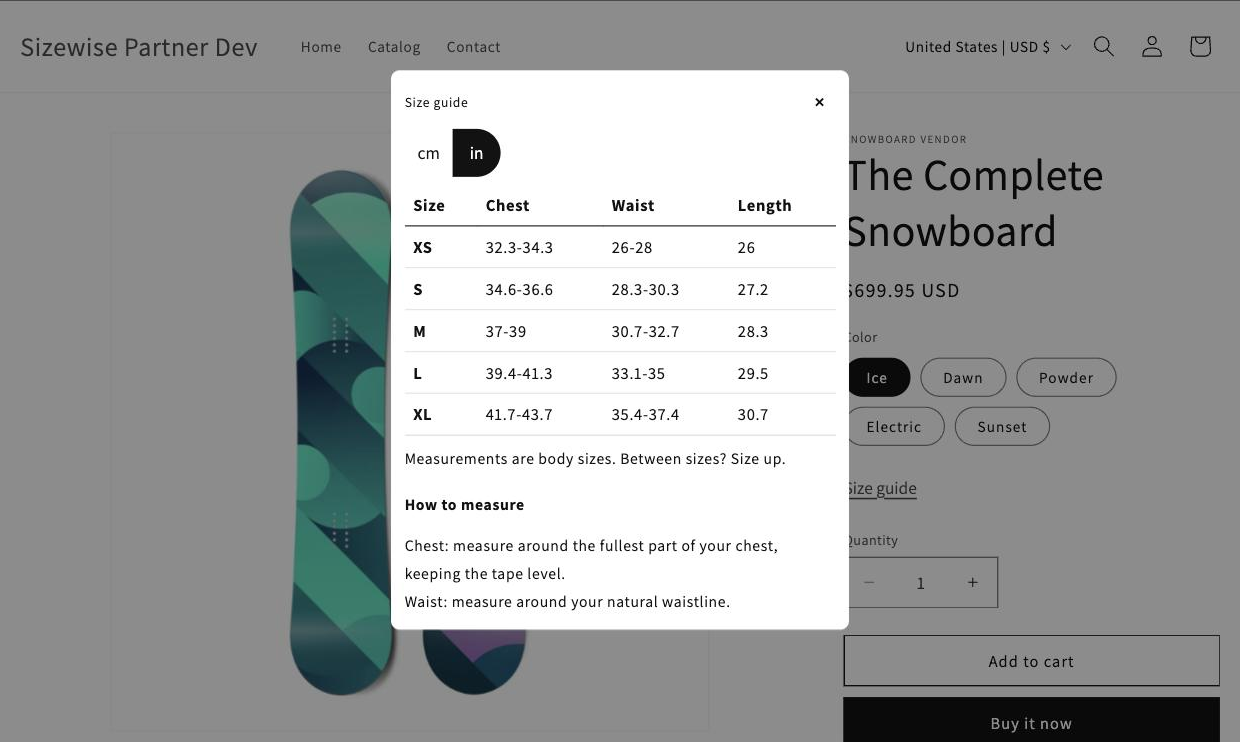
One tap from cm to inches
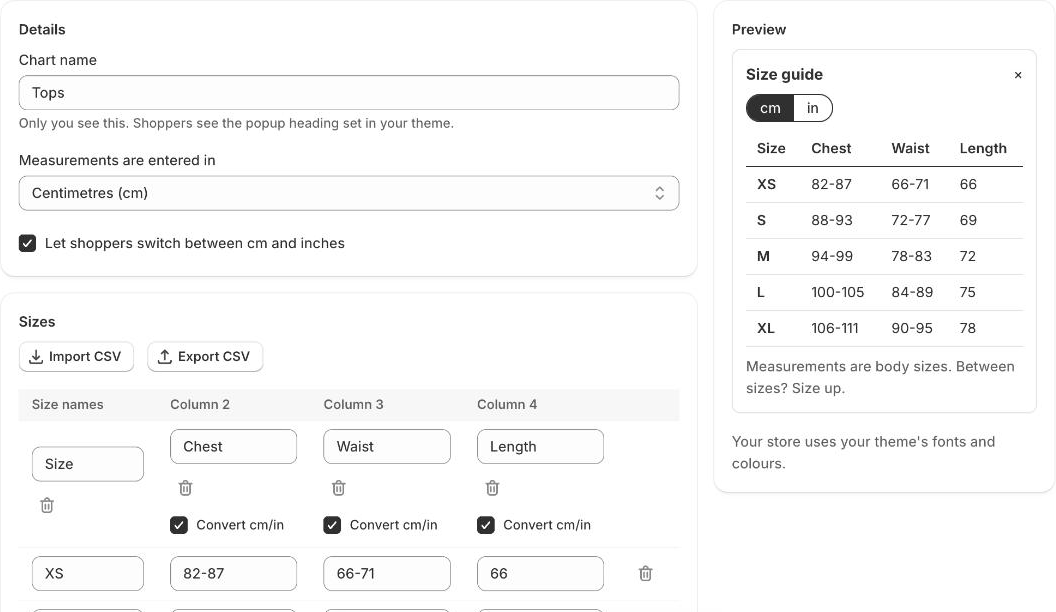
Build a chart in minutes
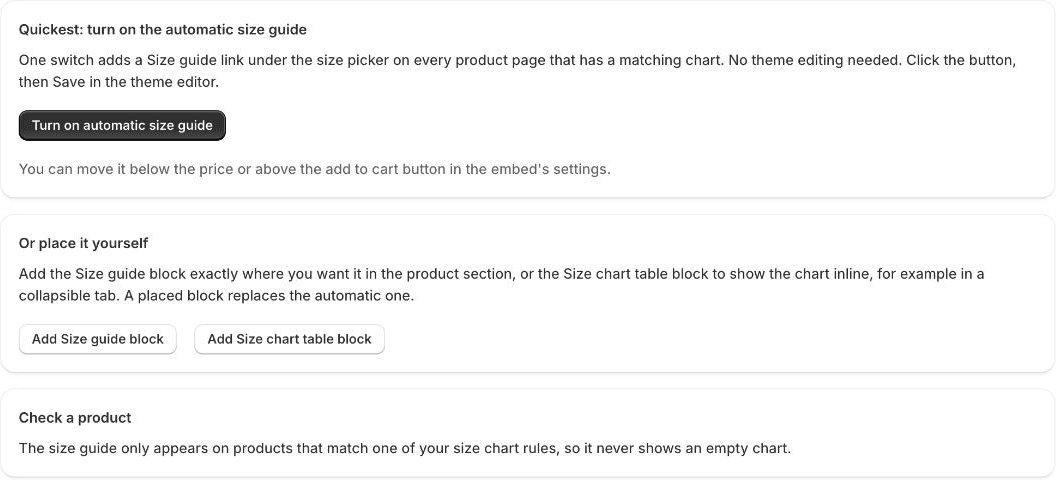
Switch it on in one click
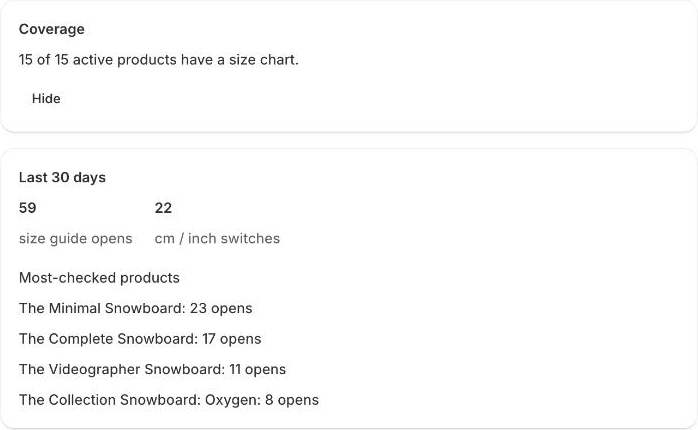
See coverage and which products shoppers check most
$0
$5.99/month
or $59/year
$14.99/month
or $149/year
14-day free trial on Starter and Pro. One flat price, never charged per order. Billed through Shopify.